Managing Meetings
Sharing meetings
By default, meetings in Convictional are shared with people who were invited to the meeting and are part of your organization.
To share a meeting with other people in your organization, visit the meeting page and click the Sharing button. From here, you can share the meeting two ways:
- Select Share with organization to publish the meeting to everyone at your organization.
- Share the meeting with specific individuals by inviting them.
Meetings shared with your organization are visible to everyone in your organization, and in search results. Meetings are not sharable with anyone outside of your organization.
Access requests
If someone at your organization tries to view a meeting they don't have access to, they can request access from the meeting owner. To approve a request, visit the meeting page, click Sharing, and grant access from the list of pending requests.
Organizing meetings
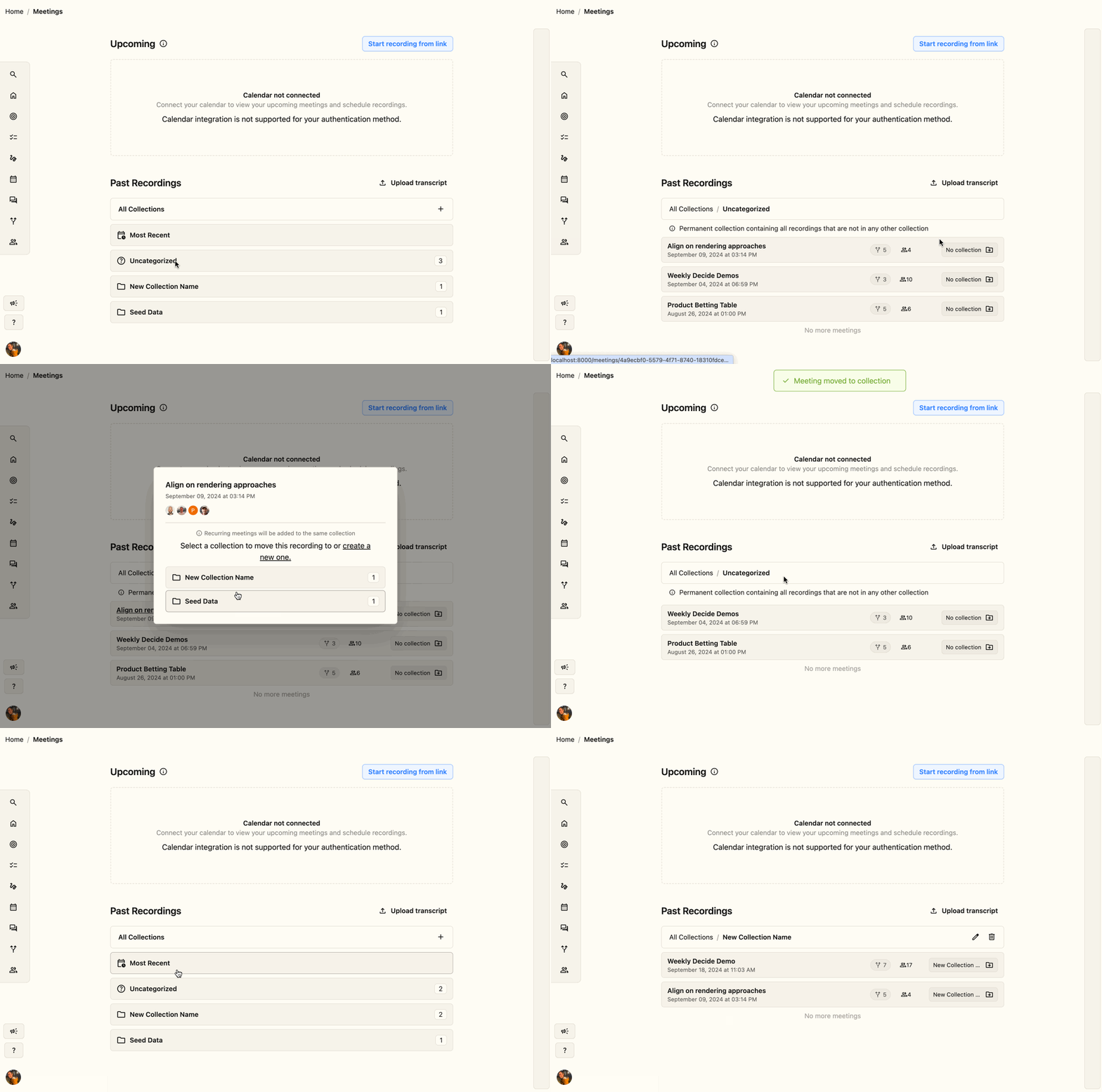
Meetings can be organized into collections. Click the No collection button on a meeting to choose an existing collection or create a new one.
If a recurring meeting is moved into a collection, future occurrences of that meeting will be automatically placed into the same collection.
Renaming a collection
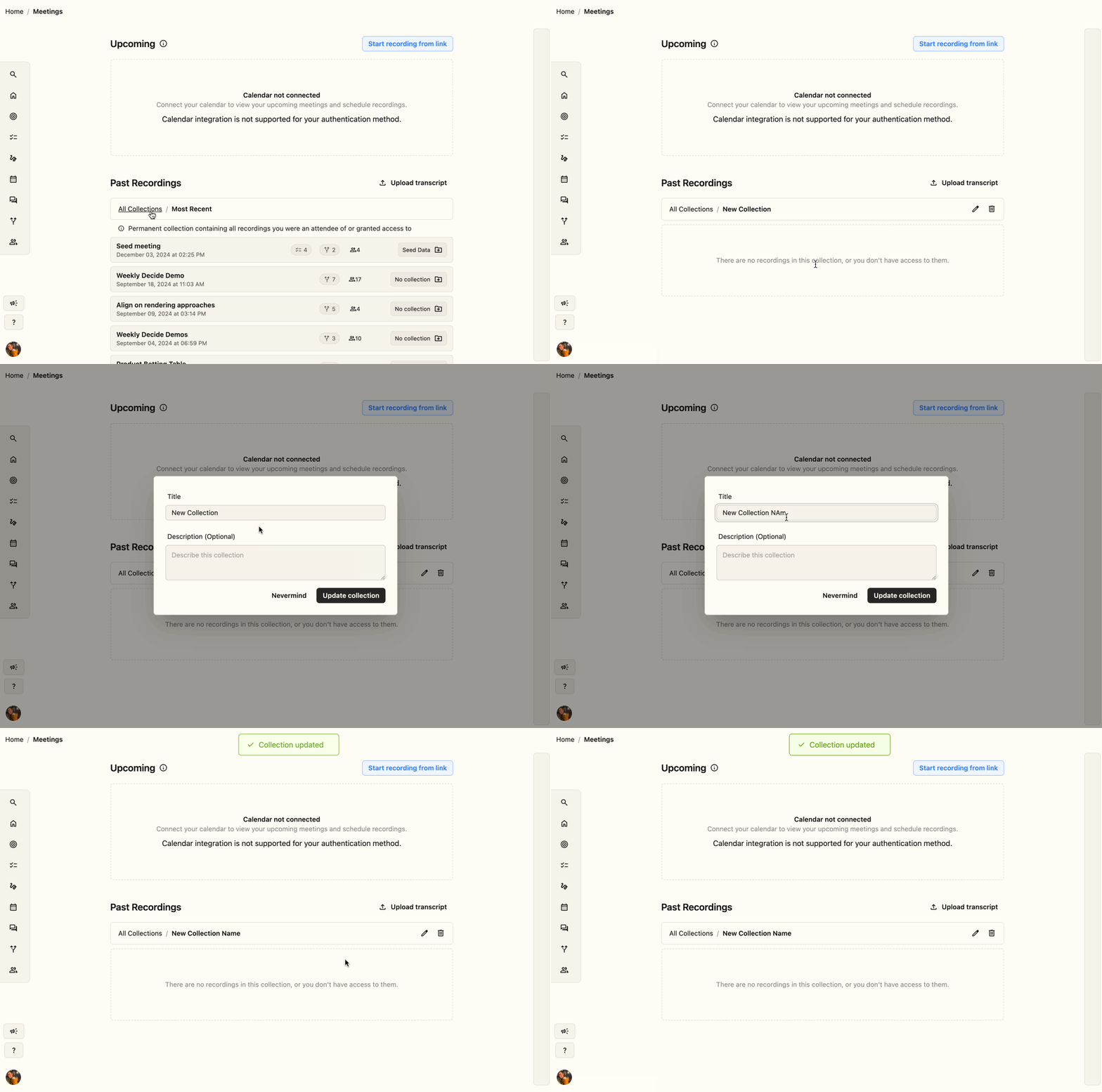
You can rename an existing collection from that collection's listing.
Renaming a meeting
Renaming a scheduled meeting in your calendar provider (like Google Calendar) creates a brand-new meeting — this deletes the existing meeting and replaces it with the newly-named one. If the meeting was part of a series, the renamed meeting won't be linked to previous occurrences, and any agenda you created on the original won't carry over.
To rename a meeting in Convictional itself (past or upcoming), hover over the title, click to open the edit box, update the name, and click save.
